PDF Extractor: Web vs Desktop -- Which Version Is Right for You?
By the PDF Extractor engineering team.
PDF Extractor uses AI-powered object detection for PDF image extraction, PDF table extraction, text blocks, formulas, and other document elements. It ships in two flavors -- a cloud-hosted web app and an offline PDF extractor for desktop -- and each one is designed for a different workflow.
This post breaks down what each version offers so you can pick the one that fits your needs.
How the Extraction Works
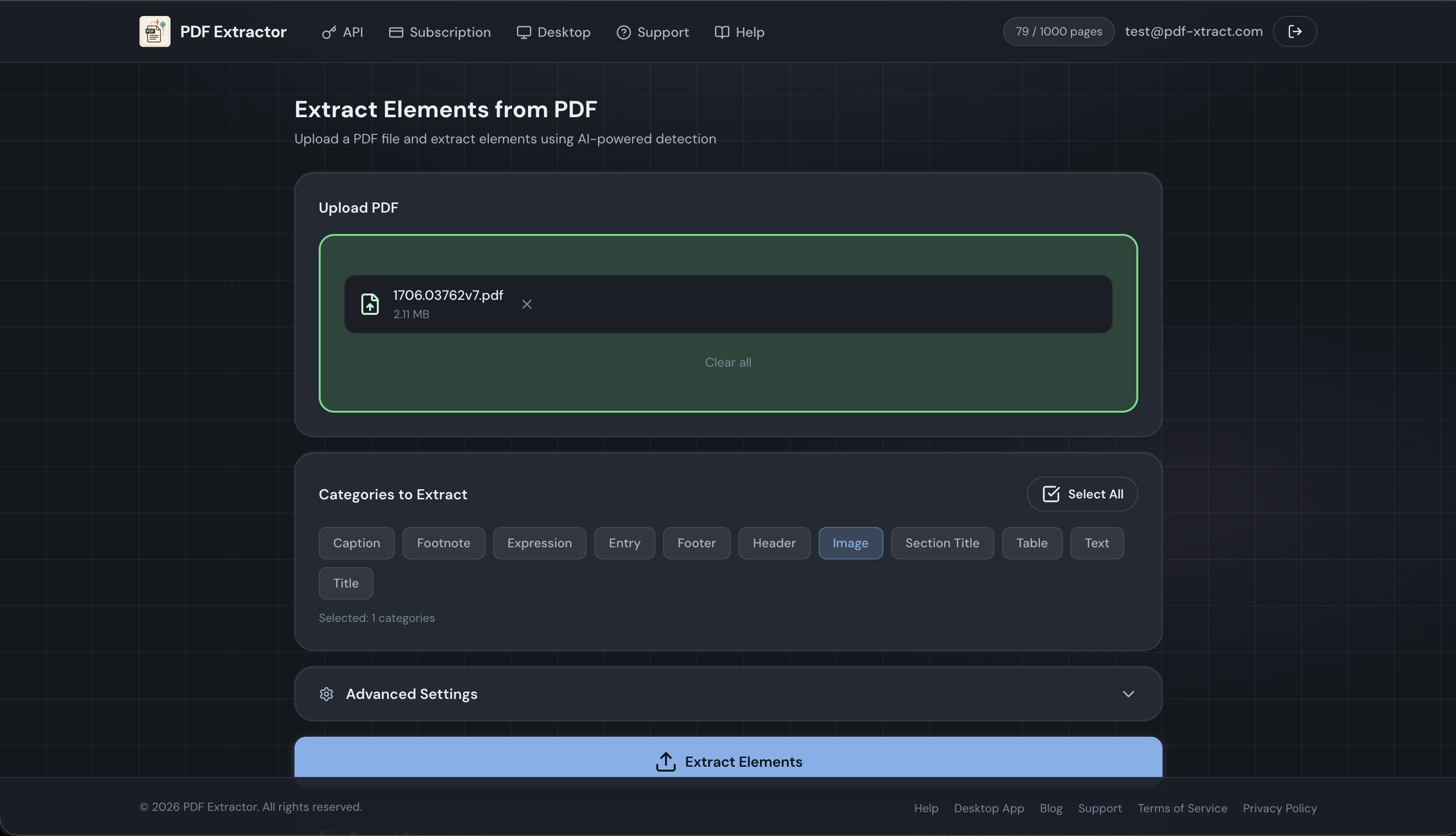
Both versions run the same YOLO-based detection engine under the hood. Upload a PDF, and the model identifies up to eleven element categories:
| Visual Elements | Document Structure | Page Layout |
|---|---|---|
| Image -- photos, diagrams | Title -- document titles | Header / Footer |
| Table -- data tables | SectionTitle -- section headings | Entry -- list items |
| Expression -- math formulas | Caption -- figure/table captions | |
| Footnote -- footnotes | ||
| Text -- text blocks |
You can tune DPI (up to 800), choose an output format (JPG, PNG, TIFF), set confidence and IoU thresholds, filter by category, and enable OCR -- all in both versions.
Both versions also offer an advanced OCR engine: a vision-language model that transcribes a full page as Markdown, JSON, or plain text (instead of Tesseract's plain-text-only output), and can transcribe detected tables into structured Markdown, HTML, or CSV. See Advanced OCR: Full-Page Markdown, JSON, and Structured Tables for details.
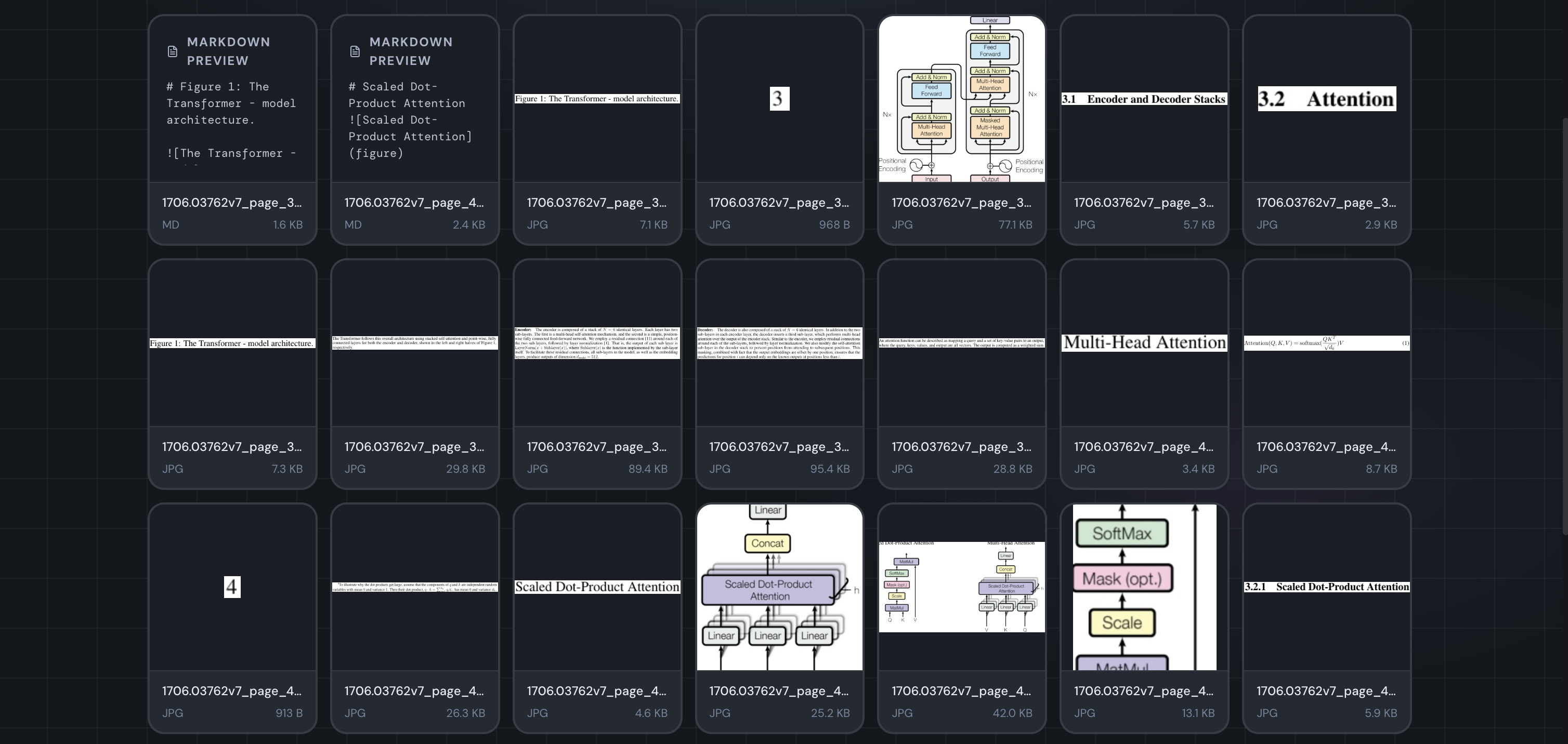
Here's a real extraction from the "Attention Is All You Need" paper (1706.03762v7) -- 198 elements detected across 15 pages, including figures, tables, formulas, section titles, captions, and text blocks:
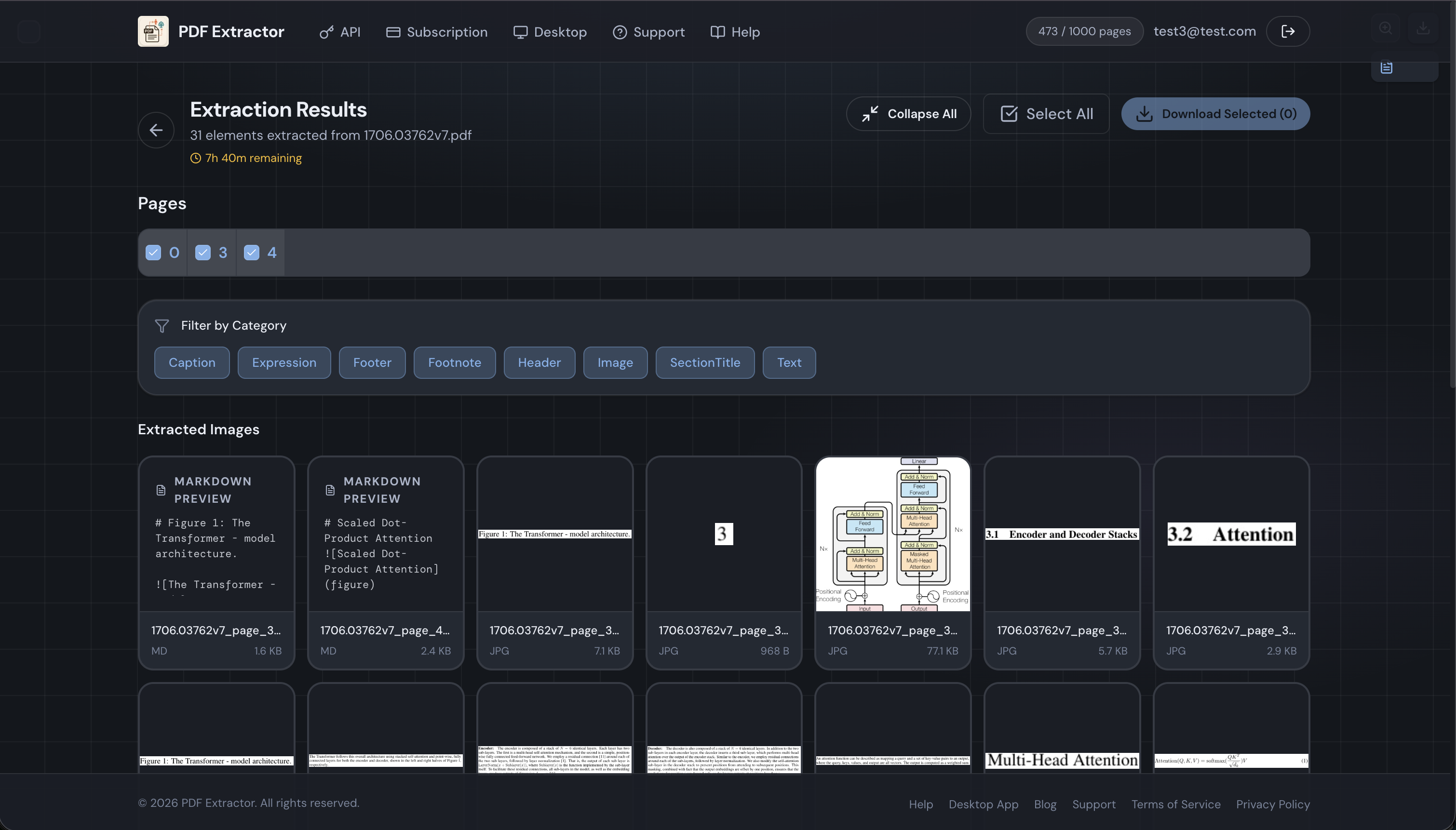
The extracted elements include the Transformer architecture diagram, mathematical expressions for positional encoding, section headings, and data tables -- each automatically classified and cropped as a separate file:
The Web App
The PDF Extractor web app is built on FastAPI, React, and PostgreSQL, with S3-backed cloud storage and Stripe billing. Everything runs in the browser -- no install required.
Plans and Pricing
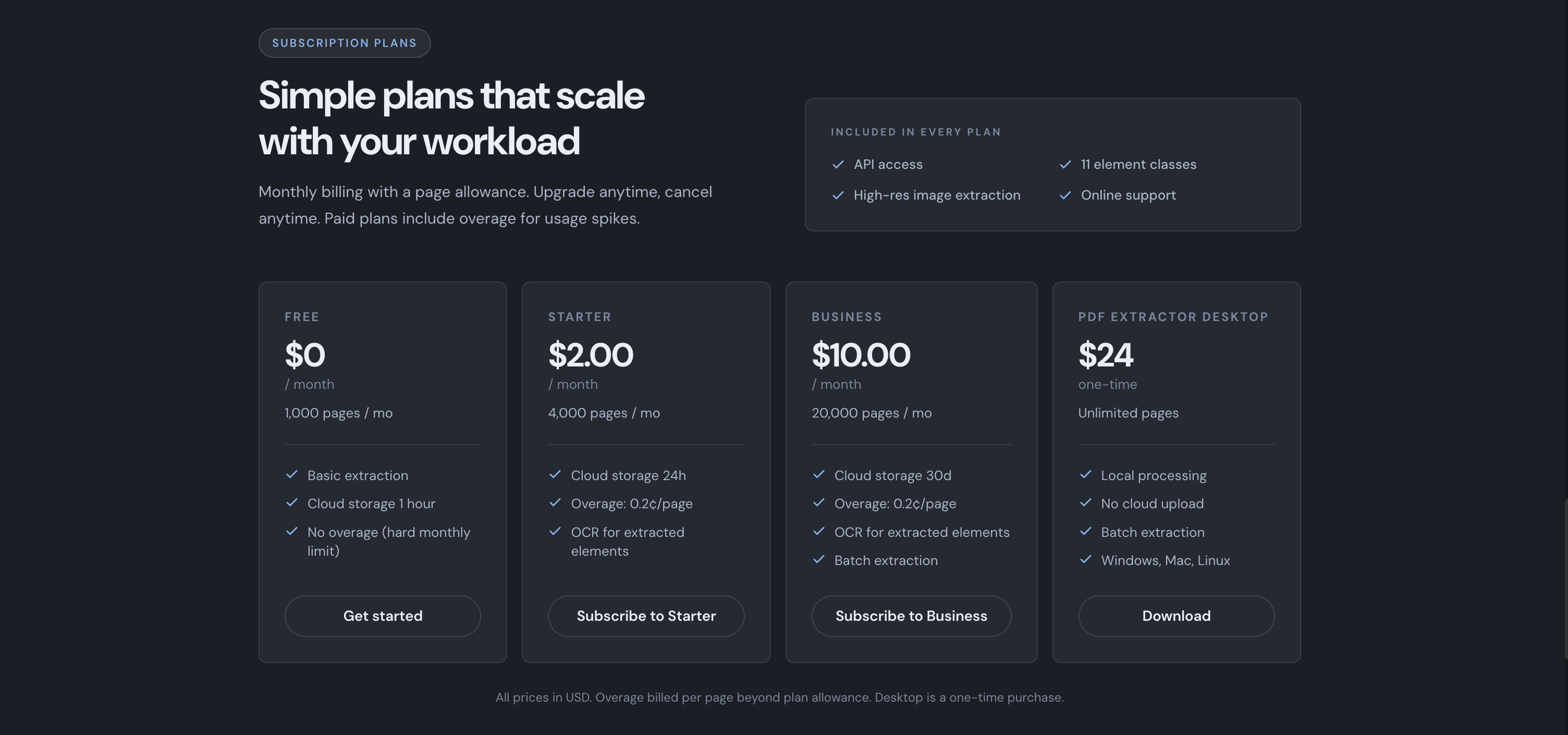
| Free | Starter | Business | |
|---|---|---|---|
| Price | $0 | $2/month | $10/month |
| Pages included | 1,000/month | 4,000/month | 20,000/month |
| Overage | Not available | $0.002/page | $0.002/page |
| Cloud storage | 30 days | 30 days | 30 days |
| Concurrent jobs | 1 | 1 | 5 |
| OCR | -- | Included | Included |
| Batch extraction | -- | -- | Included |
The Free plan is a quick way to try the service with no commitment. All online plans include the same 30-day cloud-storage window; Starter adds OCR and overage billing, while Business adds higher concurrency and batch processing.
What You Get
- Zero setup -- open a browser, upload a PDF, get results.
- Cloud storage -- extracted files are stored in S3 and accessible via URL for the retention period of your plan.
- User accounts and history -- every extraction is logged so you can revisit past results.
- API access -- integrate extraction into your own pipelines with the PDF extraction REST API. Authenticate with a bearer token and POST to
/api/extract-elements. - Advanced OCR -- full-page transcription as Markdown, JSON, or text, plus structured table output, on a server-configured vision-language model (Starter/Business).
- Metered billing -- pay only for what you use beyond your included pages.
Best for: Getting started quickly, sharing results via URL, API-driven automation, and predictable monthly costs.
The Desktop App
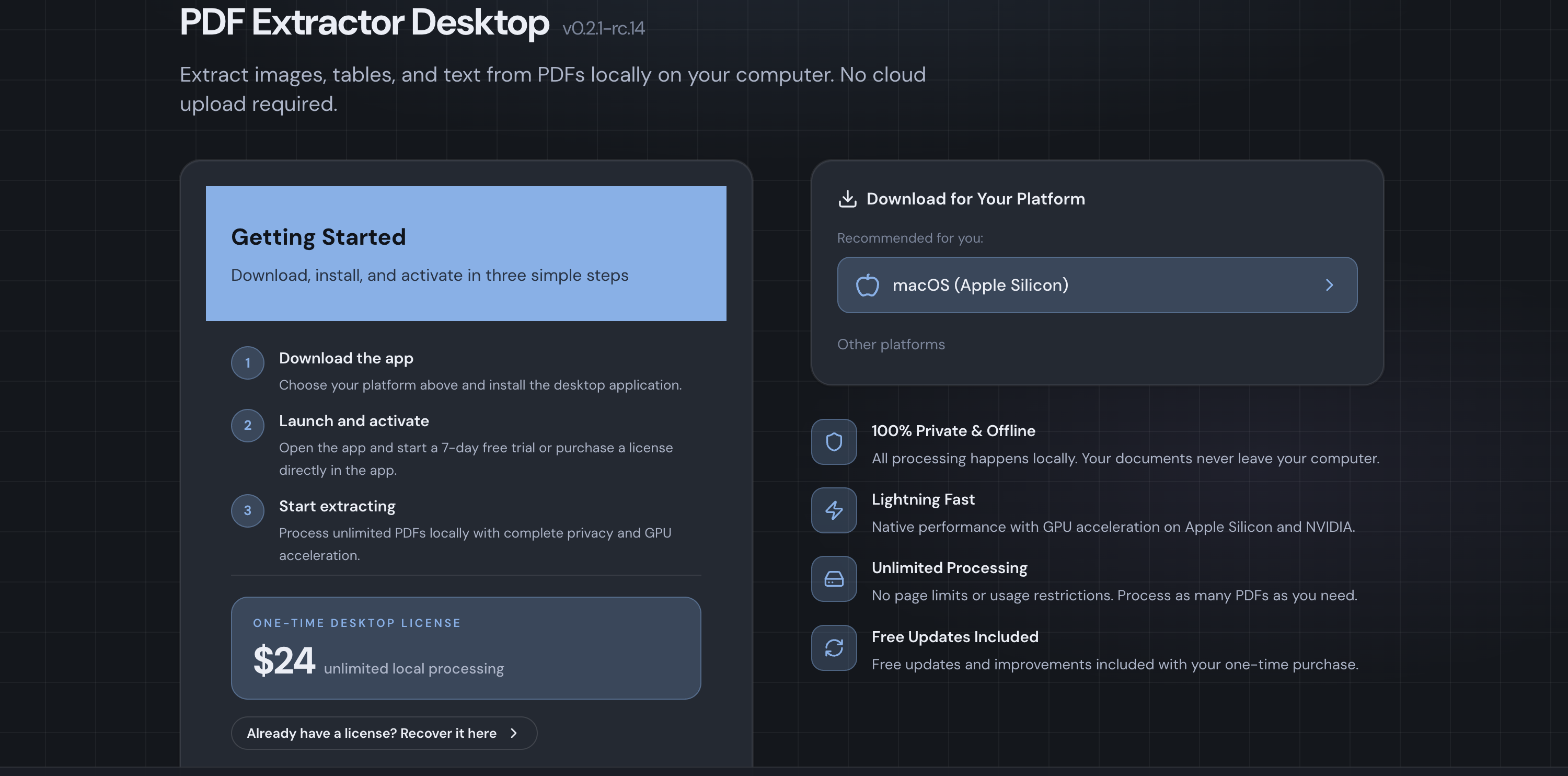
The offline PDF extractor is a standalone desktop application built with Tauri and a bundled FastAPI backend. It runs entirely on your machine -- no internet connection needed after activation.
Pricing
| Desktop | |
|---|---|
| Price | $24 (one-time) |
| Pages | Unlimited |
| Storage | Local (no expiry) |
| OCR | Included; see the PDF OCR workflow |
| Batch extraction | Included |
A one-time license costs less than three months of the Business plan, with no page caps.
Platforms
| Platform | Format |
|---|---|
| macOS (Apple Silicon) | .dmg |
| Windows 10+ (x64/arm64) | .exe installer |
| Linux (Debian/Ubuntu x64) | .deb |
What You Get
- Unlimited processing -- no monthly page limits, no overage charges.
- Complete privacy -- your documents never leave your machine. No uploads, no cloud storage, no server-side processing.
- Local advanced OCR -- full-page Markdown/JSON/text transcription and structured table extraction using an embedded local model (Qwen3-VL 4B by default, or Gemma 4 12B / Qwen3.5 4B), or point at your own Ollama or LM Studio server. Runs fully offline, no per-page cost.
- Offline operation -- after initial license activation, the app works without an internet connection.
- GPU acceleration (Linux) -- build with CUDA support for NVIDIA GPUs or ROCm for AMD GPUs. CPU inference is always available as a fallback.
- Local file management -- extracted elements are saved directly to your filesystem. No retention limits, no expiry.
Best for: Sensitive/confidential documents, high-volume processing, offline environments, and no recurring costs.
License Management
- Licenses are lifetime — pay once and use forever.
- Recovery is straightforward: enter the email you purchased with, and the license token is re-sent to your inbox.
- The app can optionally phone home to check license status, but offline validation is always supported.
Side-by-Side Comparison
| Feature | Web App | Desktop App |
|---|---|---|
| Pricing model | Monthly subscription | $24 (one-time) |
| Page limits | 1,000 -- 20,000/month (by plan) | Unlimited |
| Processing | Cloud (server-side) | Local (on your machine) |
| Data privacy | Documents uploaded to servers | Documents never leave your machine |
| Internet required | Yes (always) | Only for activation |
| Cloud storage | 30 days | Local filesystem (no expiry) |
| OCR | Starter plan and above (Tesseract or advanced VLM) | Included (Tesseract, or local advanced VLM via managed model/Ollama/LM Studio) |
| Batch extraction | Business plan only | Included |
| API access | REST API with bearer token | N/A |
| GPU acceleration | N/A (server-managed) | CUDA and ROCm on Linux, Metal on macOS, DirectML on Windows |
| Platforms | Any modern browser | macOS, Windows, Linux |
| Concurrent jobs | 1 -- 5 (by plan) | Limited by your hardware |
Using Both Together
The two versions are not mutually exclusive. A common setup:
- Use the PDF extraction API for automation -- feeding PDFs from a pipeline and retrieving results via URL.
- Keep the offline PDF extractor for ad-hoc, confidential, or high-volume work where privacy and no page caps matter most. Download PDF Extractor Desktop for local processing.
The same output needs apply in either environment: use PDF table extraction for table crops and structured data, or PDF OCR to transcribe scanned pages. Choose the output first, then decide whether the documents can leave your machine.
Your web account and desktop license are managed independently, so you can mix and match plans as your needs change.
Getting Started
- Web app: Open PDF Extractor, create a free account, and upload your first PDF.
- Desktop app: Download the installer for your platform from the PDF Extractor Desktop download page, purchase a license, and activate with one click.
Both versions extract the same element types with the same AI model -- the choice comes down to where and how you want to run it.